

IRS Free File Program: File Your Taxes Online for Free (2026 Guide)
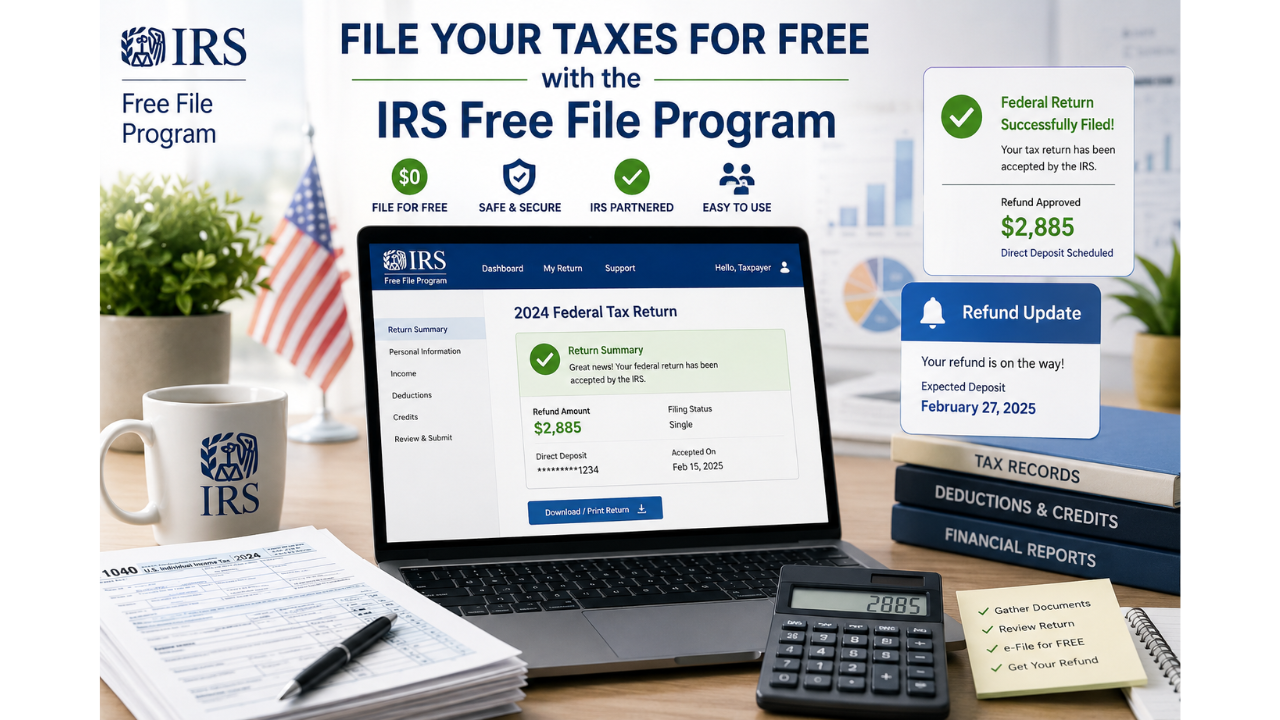
Filing taxes doesn’t have to cost you a cent. The IRS Free File Program gives millions of taxpayers a way to prepare and e-file their federal returns at no charge, using trusted brand-name software. Whether you’re a first-time filer, a student with a simple W‑2, or a family claiming credits, this guide will walk you through exactly how to use IRS Free File safely and correctly. This guide is based on official IRS Free File resources and educational tax guidance from the IRS.
What Is the IRS Free File Program?
The IRS Free File Program is a public-private partnership between the Internal Revenue Service and several leading tax software companies. It lets eligible taxpayers prepare and electronically file their federal tax return using free, name-brand software – all without being charged. The program is designed to make tax filing accessible, especially for those who might otherwise struggle to afford paid tax preparation.
According to the IRS, the Free File Program has helped tens of millions of taxpayers save money while meeting their filing obligations. You access the program only through the official IRS website (IRS.gov/file-your-taxes-for-free). This ensures you are landing on a genuine IRS‑partnered offer, not a look‑alike that might later try to upsell you.
Why IRS Free File Exists
The IRS recognized that not everyone can afford a tax professional. By partnering with private software providers, the IRS created a safe, no‑cost e‑filing path. Providers agree to offer their services free to qualified filers in exchange for access to a wider audience. This collaboration helps increase e‑filing rates and reduces paper‑return errors.
Who Qualifies for IRS Free File?
Eligibility is based primarily on your adjusted gross income (AGI). For the 2026 filing season (tax year 2025), most Free File software offers are available to taxpayers with an AGI of $84,000 or less. That covers about 70% of all households. If your income exceeds that threshold, you can still use Free File Fillable Forms – the electronic version of IRS paper forms – at no cost, regardless of income.
Other factors may affect your eligibility depending on the specific provider. For example, some Free File partners support active-duty military personnel with no income cap, while others may restrict certain schedules like self-employment income. You can check your eligibility by using the IRS Free File Online Lookup Tool.
IRS Free File Income Limits Explained
The most common question is: “Can I really file for free?” The answer is yes, provided your AGI falls within the program’s annual limit. For the 2026 filing season, the limit is $84,000. This is the same for single filers, heads of household, and married filing jointly. If your income is above this threshold, you won’t qualify for the guided software offers, but you still have the Free File Fillable Forms option.
It’s important to understand that each Free File provider may set additional criteria – for instance, a minimum age, state residency, or return complexity. That’s why the IRS provides an online tool that asks simple questions and then matches you with providers you’re eligible for. Always start at apps.irs.gov/app/freefile to avoid confusion.
How IRS Free File Works
The process is straightforward. You visit the IRS Free File page, use the “Find Your Trusted Partner” tool, and answer a few questions about your income, filing status, and state. The tool instantly displays a list of IRS‑approved providers that fit your situation. You then select one, and you’re redirected to the provider’s website to start your free return.
Here’s a simple breakdown:
| Step | What Happens |
|---|---|
| 1. Visit IRS Free File | Go to IRS.gov/file-your-taxes-for-free |
| 2. Use the Lookup Tool | Enter your income, filing status, state, etc. |
| 3. Choose a Provider | Pick from the list of matched offers |
| 4. Prepare & E‑file | Complete your return on the provider’s secure site |
| 5. Get Confirmation | Receive IRS acceptance within 24‑48 hours |
You must start from the IRS website every time. If you go directly to a tax software’s commercial site, you may not see the free offer and could be charged.
How to File Taxes for Free Online
Filing online for free using the IRS Free File Program involves a few critical steps. First, gather your tax documents: W‑2s, 1099s, Social Security numbers, and last year’s AGI. Then, follow these practical guidelines:
- Always start at IRS.gov. Click the “File Your Taxes for Free” button.
- Use the IRS tool to filter providers. The results are based on the answers you provide – don’t try to guess which software to use.
- Never pay at any point. If you see a charge, you may have clicked the wrong link or accidentally left the free pathway.
- Complete your return carefully. The software will guide you step by step, asking simple questions.
- E‑file with direct deposit to get the fastest refund.
The entire process is designed for beginners. Most first‑time filers finish in under an hour if they have all their documents ready.
Free File Fillable Forms Explained
Free File Fillable Forms are electronic versions of IRS paper forms. They are available to everyone, regardless of income, and are completely free. However, they do not include any tax preparation guidance – you need to know how to fill out the forms yourself. Think of them as a digital pencil: you enter your numbers, do the math yourself, and then e‑file.
These forms are ideal for people who are comfortable preparing their own taxes, have a straightforward situation, or earned more than the Free File income limit but still want to e‑file at no cost. You can access Fillable Forms directly at IRS.gov/e-file-providers/free-file-fillable-forms. Be aware that Fillable Forms do not support state tax filing; you’ll need to handle your state return separately.
Free File Software vs Fillable Forms
Software (guided): interviews you, does calculations, checks for credits, and may include state returns free for some. Fillable Forms: you fill out the raw form fields, no hand‑holding, no error checking, and state filing not included.
Direct File vs Free File: What’s the Difference?
Many taxpayers confuse the IRS Direct File pilot with the Free File Program. They are two separate options. Direct File is an IRS‑developed online tool that lets eligible taxpayers file directly with the IRS, without third‑party software. It currently supports only simple returns (W‑2 income, standard deduction, limited credits) and is available in a few states.
On the other hand, IRS Free File uses private partner software. The key differences are:
| Feature | Free File | Direct File |
|---|---|---|
| Who runs it | IRS + private tax software companies | IRS only |
| Income limit | $84,000 (guided) / none (fillable) | Typically under $200k, varies |
| Return complexity | Handles most common situations | Very limited; only simple W‑2 returns |
| State filing | Often available (some free, some fee) | Not supported (as of 2026) |
| Availability | Nationwide | Select pilot states |
If you qualify for both, choose the one that feels more comfortable. Free File often provides more guidance, while Direct File cuts out the middleman entirely.
Benefits of IRS e-File
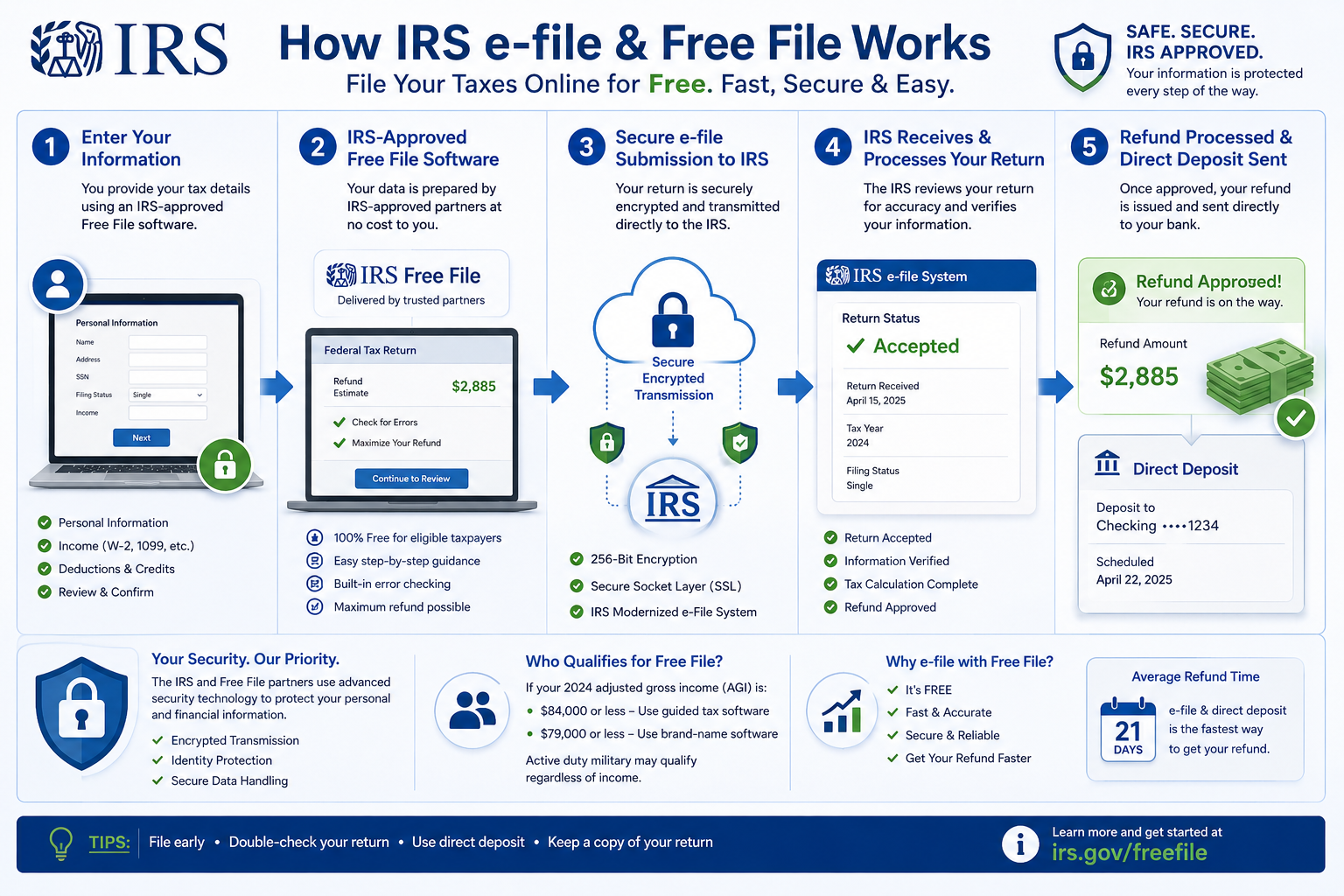
Electronically filing your return – whether through Free File, Fillable Forms, or another e‑file method – is safer, faster, and more accurate than mailing paper forms. The IRS recommends e‑file for all taxpayers. Here’s why:
- Faster refunds: E‑file with direct deposit typically issues refunds in under 21 days, often within 10 days.
- Fewer errors: The software automatically checks for math mistakes and missing information.
- Instant confirmation: You get proof that the IRS accepted your return within 24–48 hours.
- Security: Your data is encrypted and transmitted through secure channels, reducing the risk of lost or stolen mail.
- Free for many: Through programs like IRS Free File, you pay nothing for federal e‑filing.
Common IRS Free File Mistakes to Avoid
Even with free software, errors can delay your refund or cause the IRS to reject your return. According to IRS guidance, the most frequent missteps include:
- Not starting from IRS.gov. Going to a provider’s commercial site may trigger a fee.
- Choosing the wrong filing status. The software can help, but double‑check your status.
- Forgetting to report all income. Include side gigs, interest, and unemployment compensation.
- Incorrect bank account numbers for direct deposit. A single digit off can delay your refund for weeks.
- Not signing the return electronically. Use your prior‑year AGI or a self‑select PIN.
- Filing before you have all forms. Wait until you receive every W‑2, 1099, and other statement.
Avoid these pitfalls by double‑checking your entries and using the software’s review feature before submitting.
Is IRS Free File Safe? Absolutely – When Used Correctly
IRS Free File providers must follow strict security and privacy standards. Your information is encrypted, and the IRS never shares your data with the software companies for marketing. However, you must be cautious: only access Free File through official IRS links. Scam websites sometimes imitate Free File offers to steal personal data. Always look for the irs.gov domain in your browser’s address bar.
The IRS also advises using a secure internet connection, avoiding public Wi‑Fi when filing, and saving a copy of your return. Identity protection is a joint effort – the program is safe, but your habits matter.
Federal vs State Free Filing Options
The IRS Free File Program covers your federal return at no charge. Many partner providers also offer free state returns for eligible filers, but this varies. Some partners may include a state return for free if you meet their criteria; others charge a fee. When you use the IRS lookup tool, you can filter by state to see which providers offer free state filing.
If your chosen provider doesn’t include a free state return, you can often file your state taxes directly through your state’s tax agency website – many states have their own free e‑file options. Always read the details before you start your return to avoid surprises.
Can Self-Employed Taxpayers Use IRS Free File?
Yes, but with caveats. Self‑employed individuals (freelancers, gig workers, small business owners) can use IRS Free File if their AGI is at or below $84,000 and they choose a provider that supports Schedule C. The Free File Fillable Forms option is also available to self‑employed filers of any income level, as long as they are comfortable preparing their own business income and expense calculations.
Not all Free File partners handle self‑employment income. Use the IRS online tool to filter for providers that specifically support business income. You’ll need to report all 1099‑NEC and 1099‑K earnings, and keep track of your deductible expenses. The guided software will prompt you through these sections if supported.
Curious how your tax refund or take‑home pay will look? Use a free paycheck calculator to estimate your after‑tax income instantly.
Estimate Your PaycheckReady to File? Access IRS Free File
Use the official IRS website to find your free filing option. Never pay unless you intentionally choose a premium service. Verify your eligibility before you start.
Access IRS Free File NowVisit IRS.gov/file-your-taxes-for-free for details.
While you're organizing your tax documents, you might also find free digital tools handy. For instance, FreeAiden provides AI‑powered utilities like QR code generators, PDF converters, and barcode makers – completely free and easy to use.
IRS Free File Program – FAQs
Is IRS Free File really free?
Yes, the IRS Free File Program is genuinely free for federal tax return preparation and e‑filing if you meet the income guidelines ($84,000 or less for most offers) and start from the IRS website. You should never be asked for a credit card. If you see a fee, you may have strayed from the free pathway.
Who qualifies for IRS Free File?
Generally, taxpayers with an adjusted gross income of $84,000 or less for tax year 2025 (filing in 2026) qualify for guided software offers. Active‑duty military may qualify with higher income. Even if you earn more, Free File Fillable Forms are available to everyone at no cost.
Can self-employed people use IRS Free File?
Yes, if your income is under the limit and you choose a provider that supports business income (Schedule C). Free File Fillable Forms also support self‑employment forms, but you’ll need to fill them out yourself without guidance.
What is Free File Fillable Forms?
It’s an electronic version of IRS paper forms that you can fill out and e‑file for free, regardless of income. There’s no step‑by‑step interview, no calculations done for you, and no state return included.
Is IRS e-file safe?
Yes. E‑file uses encryption and secure transmission. IRS Free File providers must meet strict security standards. Always start from the official IRS website to avoid scams.
Can I file state taxes for free?
Some Free File partners include a free state return; others charge. Use the IRS Lookup Tool to filter for free state offers. Many states also have their own free direct‑file options.
What is the difference between Direct File and Free File?
Direct File is an IRS‑built tool for very simple returns in a handful of states. Free File uses private software and supports more situations nationwide. Direct File cuts out the middleman, Free File provides guided preparation.
How fast will I get my refund with e-file?
The IRS issues most refunds in less than 21 days, and often within 10 days when you e‑file and choose direct deposit. Paper returns can take six weeks or longer.
Can I use IRS Free File on my phone?
Yes. Many IRS Free File providers have mobile‑friendly websites or apps. You can complete your entire return from a smartphone or tablet, but make sure you’re on a secure connection.
What if I make more than $84,000?
You can still use Free File Fillable Forms for free. You’ll need to prepare your own return without the guided interview, but it’s a legitimate way to e‑file at no cost.
Disclaimer: This guide is for general educational purposes only and does not constitute legal or tax advice. Tax situations vary widely, and IRS rules may change. Please verify your eligibility and any tax decisions with the official IRS.gov website or a qualified tax professional.
Final Thoughts
The IRS Free File Program remains one of the most underused money‑saving tools for taxpayers. With a clear income limit, multiple trusted providers, and a safe e‑file process, there’s no reason to pay for basic federal tax filing if you qualify. Remember to start at IRS.gov, use the lookup tool, and never share your information outside official channels. By following this guide, you can file your taxes online with confidence and keep more of your hard‑earned money.
Before you file, why not estimate your financial picture? Use our salary after taxes calculator to see exactly how your income translates into take‑home pay — a smart step toward better financial planning.
Ready to take control of your paycheck? Calculate Your Take-Home Pay