

Last Updated: June 16, 2026 | Reviewed by a financial analyst and IRS tax education researcher.
Form W-2: What It Is and How to Read It (2026)
Every tax season, millions of employees open an envelope (or an email) and stare at a dense little form: the IRS Form W-2. If you’ve ever wondered what all those boxes actually mean, you are not alone. Understanding Form W-2: what it is and how to read it can save you from costly filing mistakes and give you a clearer picture of your income and taxes. This guide walks you through every section, line by line, using straightforward language and official IRS rules for the 2026 tax year.
What is Form W-2?
Form W-2, also called a Wage and Tax Statement, is an annual IRS document that employers send to employees and the Social Security Administration. It reports an employee’s total wages, tips, and other compensation for 2026, along with the amounts withheld for federal income tax, Social Security, and Medicare taxes.
This guide is based on official IRS Form W-2 instructions and educational tax resources for the 2026 tax year.
Table of Contents
- What Is Form W-2?
- Who Receives a W-2 Form?
- Who Sends Form W-2?
- When Should You Receive Your W-2?
- Why Form W-2 Is Important
- How to Read Form W-2 Box by Box
- How to Use Form W-2 When Filing Your Tax Return
- W-2 vs 1099: Understanding the Difference
- What to Do If Your W-2 Is Wrong
- Lost, Missing, or Replacement W-2 Forms
- Electronic W-2 Forms
- Common W-2 Mistakes
- Identity Theft and W-2 Tax Scams
- FAQs
What Is Form W-2?
Form W-2 is the official wage and tax statement that the IRS requires employers to prepare for every employee for the 2026 tax year. It captures the income you earned and the taxes that were taken out of your paychecks during the calendar year. Think of it as a summary receipt of your working year. The form shows gross pay, any pre-tax deductions that affect taxable income, and the exact amounts sent to the federal government on your behalf.
Employers also send a copy directly to the Social Security Administration. That government cross-check helps verify that you reported your income honestly and that your Social Security earnings record is accurate. Because the IRS already has your W-2 information, filing a return that matches those numbers reduces the chance of a delay or an audit letter.
According to IRS guidance, a W-2 must be issued even if you worked only part of the year, as long as you earned wages subject to income tax withholding or Social Security/Medicare taxes.
Who Receives a W-2 Form?
If you are classified as an employee — full-time, part-time, or seasonal — and you had any federal, Social Security, or Medicare tax withheld, you will receive a W-2 for 2026. This includes corporate executives, hourly workers, and family members employed in a business where taxes are deducted. Even an employee who earned less than the standard deduction amount and had no federal income tax withheld will usually get a W-2 if Social Security and Medicare taxes were taken out.
Independent contractors and freelancers do not get a W-2. Instead, they receive Form 1099-NEC if they earned $600 or more from a client. The distinction matters because it determines who pays the employer portion of Social Security and Medicare taxes. You’ll see the difference clearly in a later section.
Who Sends Form W-2?
Employers are responsible for preparing and distributing W-2 forms for 2026. This includes businesses, nonprofit organizations, government agencies, and household employers who pay a nanny or caregiver above a certain threshold. In larger companies, the payroll department or a third-party payroll service provider typically generates the form. No matter who prints it, the employer remains legally accountable for the accuracy of every box.
The IRS requires employers to file Copy A of Form W-2 with the Social Security Administration, while employees receive Copy B (to file with their federal return), Copy C (for their records), and sometimes additional copies for state or local tax filing.
When Should You Receive Your W-2?
The IRS deadline for employers to furnish W-2 forms to employees for the 2026 tax year is January 31, 2027. If that date falls on a weekend or holiday, the due date shifts to the next business day. You should expect to receive your form by early February 2027 at the latest. Electronic delivery is allowed if you gave your consent, but the same January 31 deadline applies.
If February 2027 arrives and you still haven’t received your W-2, start by checking your spam folder (if you opted for electronic delivery) or confirming your mailing address with your employer. Waiting too long can delay your tax filing, so take action early.
Why Form W-2 Is Important
A correct W-2 does more than satisfy your annual tax filing requirement. It directly affects your future Social Security benefits because the earnings reported in Box 3 build your lifetime earnings record. Underreported wages could lower your eventual monthly retirement or disability benefit. The W-2 also serves as proof of income when you apply for a mortgage, car loan, or apartment lease.
Beyond that, reviewing your W-2 carefully helps you spot payroll errors, unauthorized changes, or even identity theft. If someone used your Social Security number to work under your name, the W-2 might show wages you never earned. Catching such discrepancies early protects both your refund and your financial reputation.
How to Read Form W-2 Box by Box
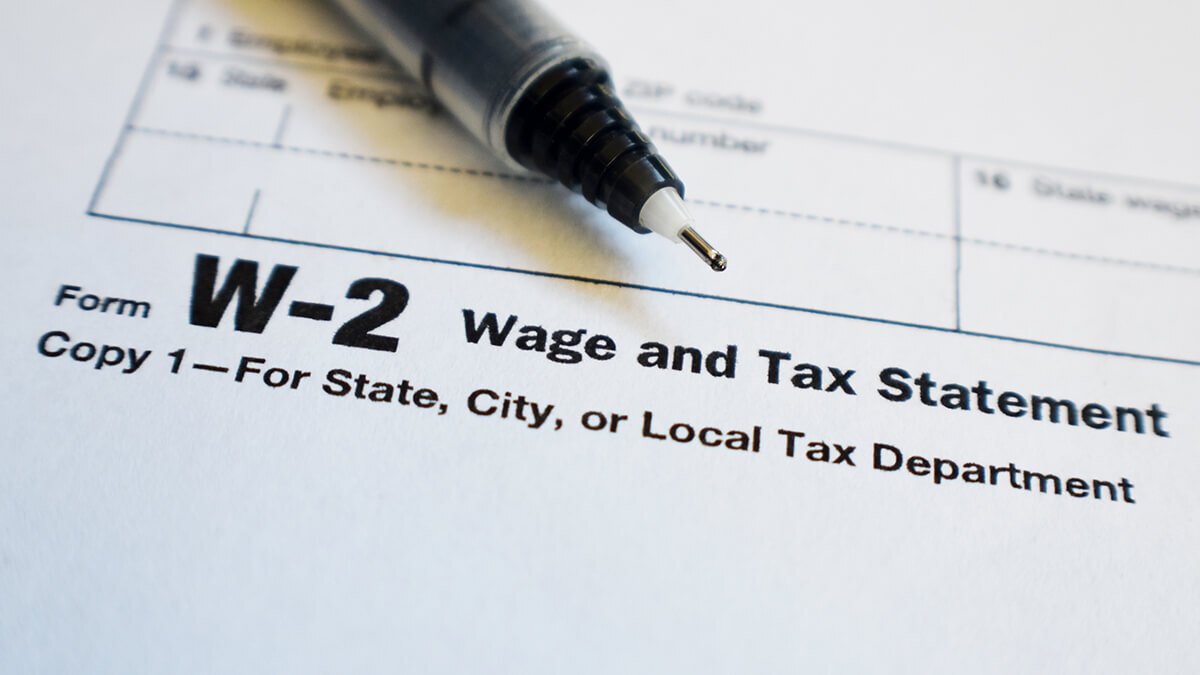
The W-2 form contains 20 numbered boxes, plus spaces for employer and employee identification. You don’t need to memorize every box, but knowing the key ones helps you understand where your money went. Below you’ll find a quick-reference card layout for each box, followed by deeper explanations of the most important concepts for 2026.
Wages, Tips, and Other Compensation Explained
Box 1 is where most people look first. It shows your total taxable compensation for federal income tax purposes for 2026. This includes hourly pay, salary, overtime, bonuses, commissions, and the value of certain non-cash fringe benefits like personal use of a company car. It also includes tips you reported to your employer. What it does not include are pre-tax contributions to a traditional 401(k), health savings account, or other cafeteria plan deductions. That is why your Box 1 amount often looks smaller than the total pay you earned — and that difference is completely normal.
If you work for tips, you must report cash tips of $20 or more per month to your employer. Those reported tips appear in Box 7 (Social Security tips) and are added to Box 1 and Box 5. Allocated tips in Box 8 are different: they are amounts your employer assigns to you based on a formula, and you may need to report them as additional income on your tax return unless you can prove you received less.
Federal Income Tax Withholding
Box 2 shows exactly how much federal income tax was taken from your paychecks and sent to the IRS on your behalf for 2026. This is not a flat percentage; it’s based on the information you provided on Form W-4. If you claimed dependents, used the multiple jobs worksheet, or requested extra withholding, Box 2 will reflect those choices. When you file your return, the amount in Box 2 is compared to your total tax liability. If your employer withheld too much, you get a refund; too little, and you owe.
One common misunderstanding: Box 2 does not include Social Security or Medicare taxes — those are completely separate boxes. Knowing this helps you see that your take‑home pay is influenced by three distinct buckets of withholding: federal income tax, Social Security, and Medicare. Use a paycheck calculator to see how adjusting your W-4 changes each bucket.
Social Security Wages and Taxes
Box 3 reports your wages that are subject to the Social Security tax for 2026. The key difference from Box 1 is the annual wage base limit. For 2026, that limit is $182,800; it adjusts each year. If you earned more than the limit, Box 3 will be capped at that amount, while Box 1 includes your full income. Pre-tax deductions like 401(k) contributions reduce Box 1 but do not reduce Social Security wages — so Box 3 is often higher than Box 1 for people who contribute to retirement plans.
Box 4 shows the Social Security tax withheld, which is 6.2% of Box 3. Your employer pays an equal amount (6.2%), but you don’t see that on your W-2. If you had multiple jobs and your combined Social Security wages exceeded the annual limit, you may be able to claim a credit for excess Social Security tax when you file.
Medicare Wages and Taxes
Box 5 shows Medicare wages, which generally include the same compensation as Box 3 but with no wage cap. The Medicare tax rate is 1.45% for the employee, and again the employer matches it. Box 6 contains the total Medicare tax withheld. If your wages exceed $200,000 (single) or $250,000 (married filing jointly), your employer must withhold an Additional Medicare Tax of 0.9% on the amount above that threshold. That extra tax will show up in Box 6 as well, but only the 1.45% portion is matched by the employer.
For most workers, Medicare wages and Social Security wages are identical. But certain pre-tax benefits (like adoption assistance) can be exempt from federal income tax yet still subject to Medicare, creating a small difference between boxes.
| Tax Type | Employee Rate (2026) | Employer Rate (2026) | Wage Limit | W-2 Box |
|---|---|---|---|---|
| Federal Income Tax | Varies (W-4 based) | N/A | No limit | Box 2 |
| Social Security | 6.2% | 6.2% | $182,800 (2026) | Box 4 |
| Medicare | 1.45% | 1.45% | No limit | Box 6 |
| Additional Medicare | 0.9% on wages >$200,000 (single) or $250,000 (married filing jointly) | N/A | No limit | Box 6 (combined) |
State and Local Tax Information
Boxes 15 through 20 handle state and local income taxes. Box 15 identifies the state and your employer’s state ID. Box 16 reports wages subject to state tax, and Box 17 shows state tax withheld. If you lived in one state but worked in another, you might see two lines of state information. Local taxes — such as city or county income taxes — appear in Boxes 18, 19, and 20. Not every employer fills these out; it depends on where you live and work. Some states (e.g., Texas, Florida) do not have state income tax, so these boxes may be blank.
Because state and local tax rules vary, always check these boxes against your final pay stub. Mistakes here can cause a state refund delay or a notice from your state tax agency.
Decoding Box 12 and Other Important Codes
Box 12 uses single or double-letter codes to report specific items. For example, code D shows elective deferrals to a 401(k) plan, code DD reports the cost of employer-sponsored health coverage (informational, not taxable), and code W indicates employer contributions to a health savings account. A complete list of codes is available in the IRS Form W-2 instructions. If you see an unfamiliar code, look it up — it can affect your return preparation, especially for retirement savings credits or health coverage reporting.
Box 13 contains three checkboxes. “Statutory employee” means your earnings are subject to Social Security and Medicare but you file like a self-employed individual for certain expenses. “Retirement plan” is marked if you were an active participant in an employer plan; this can limit your IRA deduction. “Third-party sick pay” indicates that a third party paid your sick leave wages.
Official IRS Form W-2 (PDF)
Review IRS instructions and employer-provided information before using Form W-2 for your 2026 tax return.
Now that you know how to read each box, see how your numbers affect your actual paycheck.
Calculate your take-home payHow to Use Form W-2 When Filing Your Tax Return
When you sit down to file your 2026 tax return, whether with software or a tax professional, your W-2 provides the backbone of your return. Box 1 goes on line 1 of Form 1040. Box 2 is entered as federal income tax withheld. Boxes 4 and 6 aren’t directly entered on your 1040, but they are used to calculate credits like the Earned Income Tax Credit or to reconcile excess Social Security withholding.
If you itemize deductions, your W-2 may also be the source for state and local tax withholding figures. Plus, any dependent care benefits from Box 10 are reported on Form 2441. Because the IRS matches every number, double-check that you type exactly what the form shows. A simple transposition can trigger a matching notice.
For a more detailed picture of where your money goes, a salary after taxes calculator can show you the breakdown per pay period, helping you plan your budget and adjust withholding if needed.
W-2 vs 1099: Understanding the Difference
Employees receive a W-2. Independent contractors receive Form 1099-NEC. With a W-2, your employer withholds income, Social Security, and Medicare taxes and pays half of the Social Security and Medicare tax themselves. On a 1099, no taxes are withheld; you’re responsible for self-employment tax (15.3% total for Social Security and Medicare) in addition to income tax. The classification isn’t a choice — it depends on the working relationship and behavioral control, financial control, and the nature of the relationship.
Mixing them up can be expensive. If you think you were wrongly classified as a contractor, the IRS provides Form SS-8 to request a determination. But for most people, the form they receive tells the story: W-2 means you’re an employee.
What to Do If Your W-2 Is Wrong
Errors on a W-2 are more common than you might think. A misspelled name, an incorrect Social Security number, or the wrong amount in Box 1 can all happen. According to IRS guidance, you should not file with a wrong W-2. Instead, contact your employer or payroll department immediately and explain the mistake. They will verify the figures and, if necessary, issue a corrected W-2 — Form W-2c. Only after you receive the corrected version should you submit your tax return.
If you already filed and later discover an error, you may need to file an amended return using Form 1040-X. Time matters, so keep a close eye on your W-2 when it first arrives. If your employer refuses to correct a clear error, you can contact the IRS for assistance, but be prepared to provide pay stubs or other documentation.
Lost, Missing, or Replacement W-2 Forms
If you never received your W-2 for 2026, ask your employer for a duplicate. They are required to keep records and can reprint it. If the employer is unresponsive or out of business, the IRS can help. You can call the IRS directly after late February 2027 (if you still haven’t received the form) or use Form 4506-T to request a wage and income transcript. That transcript will show the data the IRS has on file from your employer, which you can use to file your return.
Keep in mind that the transcript doesn’t show state or local tax information — you’ll need to contact your state tax agency or use your last pay stub for that. Filing without a W-2 is possible using Form 4852, a substitute statement, but it should be a last resort and only after you’ve exhausted other options.
Electronic W-2 Forms
More employers now offer electronic delivery instead of paper copies. You typically download your W-2 from a secure portal provided by your employer or their payroll service. The same January 31, 2027, deadline applies for 2026 W-2s. Electronic W-2s are legally valid and can be uploaded directly into most tax software. Always save a digital copy and back it up. Losing access to the portal after leaving a job is a common frustration, so download the PDF and store it safely.
Common W-2 Mistakes
Some errors are easy to overlook: a nickname instead of a legal name, an outdated address, or a Social Security number that’s missing a digit. Other mistakes involve wrong figures in boxes that don’t match your pay stubs. Even the retirement plan checkbox being incorrectly marked can affect your IRA deduction. Take a few minutes each year to compare your final pay stub of the year with your W-2. The year-to-date totals on your stub should align with Box 1, 2, 3, 4, 5, and 6.
Also check Box 12 codes. A missing code D for your 401(k) contributions could mean you miss out on the Saver’s Credit. If something feels off, trust your instinct and ask questions before you file.
Identity Theft and W-2 Tax Scams
W-2 forms contain sensitive data: your full name, address, Social Security number, and income. Criminals target this information through phishing emails, fake employer portals, or even fraudulent W-2s sent to the IRS. If you receive a W-2 from a company you never worked for, don’t ignore it — someone may have used your identity. Report it immediately to the IRS and follow the agency’s identity theft procedures.
Never email your W-2 as an unencrypted attachment. Employers should never ask for your SSN via email. If something seems suspicious, verify with your HR department through a known phone number. Protecting your W-2 is part of protecting your entire tax identity.
Free tools can help you visualize your tax picture. For a quick estimate of your tax liability, you can visit FreeAiden.com.
Form W-2: What It Is and How to Read It – FAQs (2026)
What is the purpose of Form W-2?
Form W-2 summarizes your annual wages and the taxes withheld from your paychecks for 2026. Employers send it to both employees and the IRS. You use it to complete your federal and state tax returns, reporting income and the taxes already paid.
How do I read the boxes on a W-2?
Each box reports a specific figure: Box 1 shows taxable wages, Box 2 federal income tax withheld, Boxes 3 and 4 Social Security wages and tax, Boxes 5 and 6 Medicare wages and tax, and Boxes 15-20 state and local taxes. Check Box 12 for codes indicating special compensation or deductions.
Who receives a W-2 form?
Employees who had income, Social Security, or Medicare tax withheld from their pay during 2026 receive a W-2. Independent contractors receive Form 1099-NEC instead.
What is the difference between a W-2 and a 1099?
A W-2 is for employees whose employer withholds taxes and pays half of Social Security and Medicare. Form 1099-NEC reports income for independent contractors who handle their own self-employment taxes and receive no employer tax contributions.
What should I do if my W-2 has an error?
Contact your employer or payroll department immediately. They can issue a corrected W-2 (Form W-2c). Do not file your tax return with incorrect information; wait for the corrected form.
When should I receive my W-2?
Employers must provide W-2 forms by January 31, 2027, for the 2026 tax year. If mailed, they should be sent to your last known address by that date. Electronic delivery is allowed with employee consent.
How do I get a replacement W-2?
Ask your employer for a duplicate. If that fails, contact the IRS after waiting a reasonable time; they can provide a wage and income transcript. You can also use Form 4506-T to request a transcript.
Why is Box 1 different from Box 3 on my W-2?
Box 1 shows total taxable wages for federal income tax, which may be reduced by pre-tax deductions like 401(k) contributions. Box 3 shows Social Security wages, which includes those deductions but is capped at the annual wage base limit ($182,800 for 2026).
What is Box 12 on a W-2 used for?
Box 12 reports various compensation elements and deductions using letter codes. Common codes include D for 401(k) deferrals, DD for employer-sponsored health coverage cost (informational, not taxable), and W for employer HSA contributions. The IRS instructions list all codes.
Does everyone pay Social Security and Medicare tax?
Most employees do, at rates of 6.2% for Social Security (up to the annual wage limit of $182,800 for 2026) and 1.45% for Medicare (no wage limit). Some state and local government workers may be exempt under certain conditions.
Using Your W-2 Correctly
Your W-2 is more than a piece of paper — it’s a financial checkpoint. When you receive it, compare every box against your final pay stub. Make sure your name and Social Security number are exactly right. If a number seems off, reach out to your employer before filing. An accurate W-2 keeps your tax return moving smoothly and protects your Social Security record.
Before you file, remember that the IRS already has a copy. Ensuring your return matches the W-2 data helps you avoid processing delays and letters. If you use tax software, enter the numbers directly from the form. If you prepare your return manually, transfer each amount with care.
Understanding your W-2 also opens the door to smarter financial planning. If you owed money or received a large refund, consider updating your Form W-4. Small changes can lead to a more balanced budget throughout the year.
Calculate your estimated take‑home pay
Use a trusted paycheck calculator to see how each box impacts your net pay.
Simplified flow: wages, withholding, and W‑2 reporting for 2026.