

Form 1040-SR: What It Is and How to Fill It Out
Last Updated: June 2026
If you are an older taxpayer looking for a simpler way to file your federal income taxes, Form 1040-SR might be exactly what you need. This form is specifically designed for seniors, with larger print and a layout that highlights retirement income sources. In this guide, you will learn what Form 1040-SR is, who can use it, and how to complete it correctly, step by step. Everything here follows official IRS guidance so you can file with confidence.
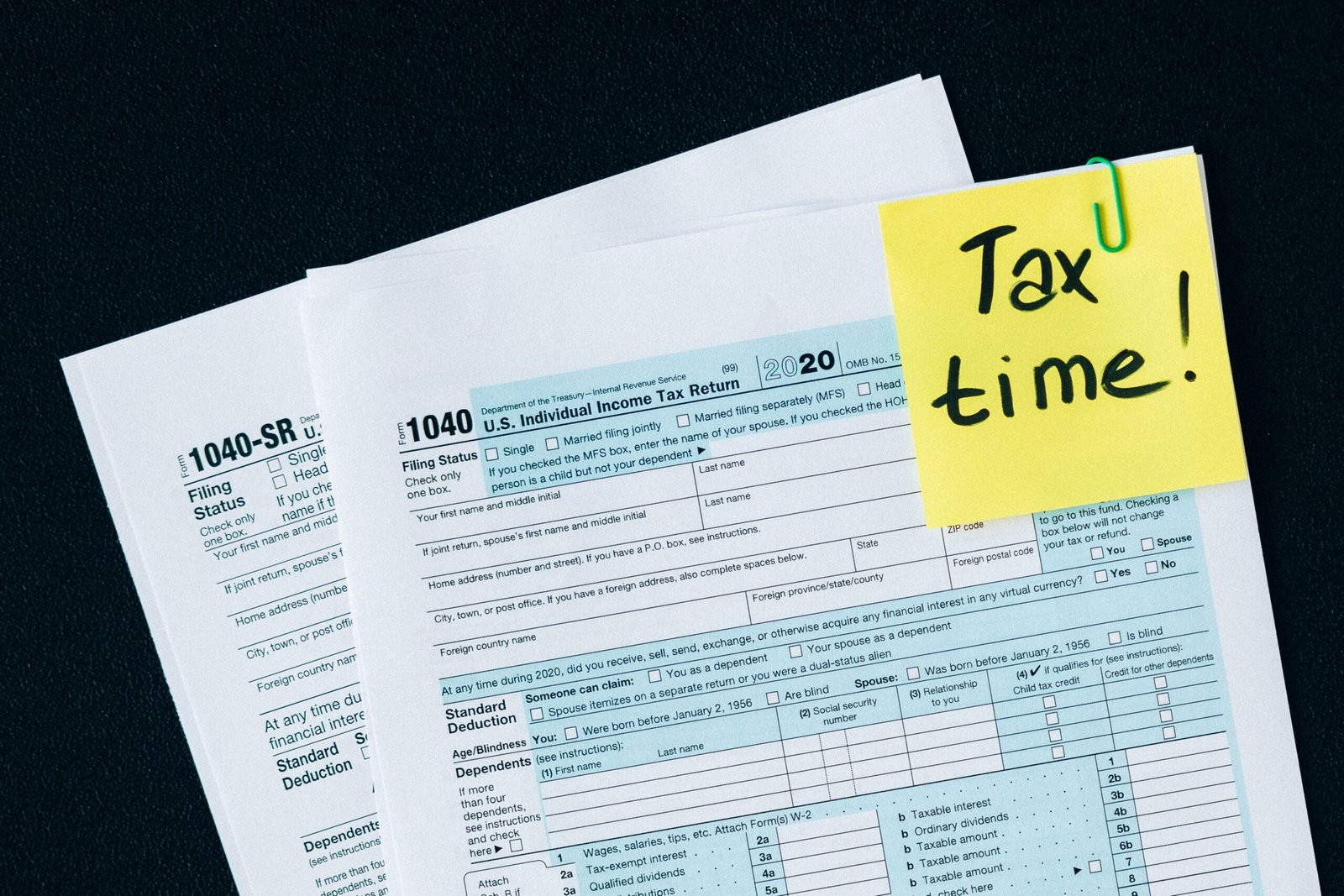
Form 1040-SR is a federal income tax return created by the IRS for taxpayers aged 65 and older. It uses the same tax rules and line items as the standard Form 1040, but offers a larger font size and a layout that clearly highlights retirement income, Social Security benefits, and the standard deduction for seniors. This makes reading and completing the form much easier.
Table of Contents
- What Is Form 1040-SR?
- Who Is Eligible to Use Form 1040-SR?
- Form 1040-SR vs Form 1040: What Is the Difference?
- When Should Seniors Use Form 1040-SR?
- How to Fill Out Form 1040-SR Step-by-Step
- Line-by-Line Form 1040-SR Instructions
- Reporting Retirement Income
- Deductions and Credits for Older Taxpayers
- Standard Deduction for Seniors
- Filing Status Options
- Common Form 1040-SR Mistakes
- Filing Form 1040-SR Electronically
- Paper Filing and Mailing Information
- Form 1040-SR FAQs
What Is Form 1040-SR?
Form 1040-SR, "U.S. Tax Return for Seniors," was introduced by the IRS to make filing less stressful for older adults. The content of the form mirrors the regular Form 1040 exactly. All the income, deduction, and credit lines are identical. The difference lies in the presentation. The typeface is larger, the boxes are clearer, and the standard deduction chart is printed right on page one. This design reduces eye strain and helps you quickly find the sections that matter most, like Social Security benefits and IRA distributions.
According to IRS guidance, you can use Form 1040-SR whether you itemize deductions or take the standard deduction, and whether your income comes from a job, investments, a pension, or a combination of sources. The form does not change any tax calculations; it simply makes the filing process more accessible. This guide is based on official IRS Form 1040-SR instructions and educational tax resources, so you can rely on every explanation here.
Who Is Eligible to Use Form 1040-SR?
Eligibility for Form 1040-SR is based on age. You may file Form 1040-SR if you were born on or before January 1, 1961 (for the 2026 tax year). The IRS requires that you be at least 65 years old by the end of the tax year. This is the only special requirement. Your income level, filing status, or the types of income you receive do not disqualify you.
Even if you are still working part-time or full-time after age 65, you can use Form 1040-SR. The form works for all filing statuses: single, married filing jointly, married filing separately, head of household, and qualifying surviving spouse. If you are filing a joint return and only one spouse is 65 or older, you may still use Form 1040-SR as long as the primary taxpayer meets the age requirement. The IRS allows both spouses to sign and benefit from the senior-friendly format.
Form 1040-SR vs Form 1040: What Is the Difference?
Many seniors wonder whether they should switch to Form 1040-SR or stick with the regular 1040. To help you decide, here is a side-by-side comparison of the two forms based on the official IRS versions.
| Feature | Form 1040-SR | Form 1040 |
|---|---|---|
| Minimum age | 65 or older | No age requirement |
| Font size | Larger, easier to read | Standard size |
| Standard deduction chart | Printed on page 1 | Not printed on the form |
| Income lines | Same as Form 1040, but retirement income sections are visually highlighted | Standard layout |
| Tax calculation | Identical to Form 1040 | Identical |
| Schedules and attachments | Same schedules (Schedule 1, 2, 3, etc.) | Same schedules |
Because the tax math does not change, your refund or balance due will be exactly the same regardless of which form you file. Choosing the senior form is purely about comfort and readability. If you have already been filing Form 1040 and are now 65, switching to Form 1040-SR next year is straightforward.
When Should Seniors Use Form 1040-SR?
You should use Form 1040-SR any time you are required to file a federal income tax return and you meet the age requirement. It is especially helpful if your income comes from retirement sources like Social Security, pensions, annuities, or IRA withdrawals. The form’s design directs your attention to those specific lines first, reducing the chance you will overlook a taxable benefit.
Even if you have a simple return with only Social Security income and a small amount of interest, the senior tax return form can make the process feel less overwhelming. The larger print and built-in deduction table let you verify your standard deduction without flipping through an instruction booklet. For caregivers helping an older family member, Form 1040-SR provides a clear, well-organized document that is easier to explain and review together.

How to Fill Out Form 1040-SR Step-by-Step
Filling out Form 1040-SR follows the same logical flow as the standard 1040. You start with personal information, report all income, claim adjustments, subtract deductions, calculate your tax, and then apply any credits and payments. Below is a practical walkthrough that breaks the process into manageable steps.
Begin by downloading the latest version of Form 1040-SR from the IRS website. Have your Social Security card, photo ID, and all income statements ready. If you use tax software, it will select the correct form automatically based on your birthdate. When filling out a paper form, use black ink and print clearly.
Line-by-Line Form 1040-SR Instructions
Here is a simplified line-by-line guide that covers the most important parts of the senior tax return form. For complete details, always refer to the official Form 1040-SR instructions (i1040gi).
Name, Address, and Social Security Number: Enter your legal name exactly as it appears on your Social Security card. If married filing jointly, include your spouse’s name and SSN.
Filing Status (lines 1–5): Check the box that applies to you. The standard deduction you receive later depends on this selection.
Digital Assets question: Answer the question about virtual currency truthfully. The IRS requires a yes or no answer.
Dependents (line 6a, 6b): If you claim any dependents, list them here. Many seniors do not have dependents, so these lines may be left blank.
Income lines (lines 1a through 8): This is where you report all taxable income. We will cover retirement income in detail next.
Adjustments to income (lines 10a–10c): Claim deductions like IRA contributions or educator expenses if they apply.
Standard deduction or itemized deductions (line 12a): Most seniors take the standard deduction. The chart on the form shows the higher amount for those 65 or older.
Taxable income (line 15): This is your adjusted gross income minus the deduction. The tax tables use this number.
Tax, credits, and payments (lines 16–33): Calculate your tax, subtract credits like the Credit for the Elderly or the Disabled, and apply any federal income tax withheld or estimated payments.
Refund or amount you owe (lines 34–37): If you overpaid, you will see a refund. If you underpaid, the amount due will appear here.
If you need help estimating your tax bracket or how a change in income might affect your net pay, a paycheck calculator can help you project your take-home pay throughout the year.
Reporting Retirement Income
Retirement income often comes from several sources, and each type has its own reporting rule. Misreporting these can lead to IRS notices, so it is important to get them right.
Social Security Benefits
Report the total benefits from Form SSA-1099 on line 6a. The taxable portion, if any, goes on line 6b. Up to 85% of your benefits may be taxable depending on your combined income.
Pensions and Annuities
Use lines 5a and 5b. The total distribution from Form 1099-R goes on 5a; the taxable amount on 5b. Fully taxable pensions show the same number in both boxes.
IRA Distributions
Report on lines 4a and 4b. Traditional IRA withdrawals are usually fully taxable. Roth IRA qualified distributions are tax-free and should not be included in taxable income.
Investment Income
Interest (line 2b) and dividends (line 3b) go in their respective sections. Capital gains from selling investments are reported on Schedule D and flow to line 7.
Social Security taxable benefits are determined by a base amount. For the 2026 tax year, the IRS adjusts these thresholds annually. If half of your Social Security plus your other income exceeds the base amount, a portion of your benefits becomes taxable. The exact calculation uses a worksheet in the Form 1040-SR instructions. Always use that worksheet to avoid overpaying or underreporting.
Deductions and Credits for Older Taxpayers
Seniors can take advantage of several tax benefits that reduce what they owe. The most common is the higher standard deduction. Additionally, if you are 65 or older and have low income, you may qualify for the Credit for the Elderly or the Disabled. This credit can lower your tax bill dollar for dollar.
Medical expenses can also be deducted if you itemize and your total medical costs exceed 7.5% of your adjusted gross income. For many seniors, including Medicare premiums, long-term care insurance, and prescription costs, this threshold is reachable. If you decide to itemize, use Schedule A and transfer the total to Form 1040-SR.
Charitable contributions remain a popular deduction. Even if you take the standard deduction, a limited above-the-line deduction for cash donations may be available in some tax years. Always check the current Form 1040-SR instructions for updates.
Standard Deduction for Seniors
The standard deduction reduces your taxable income automatically. For the 2026 tax year, the base standard deduction applies to all filers, and an additional amount is added if you are 65 or older. The chart printed on Form 1040-SR shows the exact figures, so you do not have to guess.
For a single filer aged 65 or older, the deduction might be, for example, the base amount plus an extra senior amount. If both spouses are 65 or older and file jointly, both extra amounts apply. These higher deductions mean that many seniors owe little to no federal income tax, especially if their only income is Social Security.
Filing Status Options
The five filing statuses on Form 1040-SR are the same as on Form 1040. Your status affects your standard deduction, tax brackets, and eligibility for certain credits. Many married seniors file jointly to receive the highest standard deduction. A qualifying surviving spouse can also use joint rates for two years after the spouse’s death, as long as they meet the requirements.
If you are single and provide more than half the cost of maintaining a home for a qualifying person, you may file as head of household. That status gives you a larger standard deduction than single. Married seniors who live apart from their spouse may sometimes choose married filing separately, but that status often disqualifies you from valuable credits, so compare carefully.
Common Form 1040-SR Mistakes
Even with the simplified layout, errors can happen. The most common mistake is entering the wrong Social Security taxable amount. Many filers mistakenly report the full benefit as taxable instead of following the worksheet. Another frequent error is forgetting to check the box for the additional standard deduction for being 65 or older. This can cause you to miss out on a larger deduction.
Incorrect or missing signatures on a paper return will delay processing. If you are due a refund, double‑check your bank routing and account numbers for direct deposit. Also, be careful to attach all required schedules and forms. A missing Schedule 1 or 8812 can lead to correspondence from the IRS. Finally, math errors in adding up income or deductions are easily avoidable by using tax software or a salary after taxes calculator to double-check your numbers.
Filing Form 1040-SR Electronically
The IRS strongly encourages electronic filing. Most tax software automatically selects Form 1040-SR if your birthdate shows you are eligible. E‑filing catches math errors before submission and confirms receipt within 24 hours. If you use IRS Free File or commercial software, the interview process will guide you through each income item, including retirement income and Social Security.
When you e‑file, you generally receive your refund faster, especially if you choose direct deposit. The software also retains your prior-year data, which makes next year’s filing even easier. For seniors who prefer a human touch, many Volunteer Income Tax Assistance (VITA) and Tax Counseling for the Elderly (TCE) sites offer free e‑filing help.
Plan for the year ahead. Use a trusted paycheck calculator to estimate your take-home pay and see how retirement contributions or tax withholdings affect your budget.
Calculate your estimated take-home payPaper Filing and Mailing Information
If you prefer to mail a paper Form 1040-SR, you must send it to the correct IRS processing center. The address depends on your state and whether you are enclosing a payment. The Form 1040-SR instructions include a full list of mailing addresses. Use a reliable mailing service and, if possible, send it certified with return receipt so you know when the IRS receives it.
Paper returns take longer to process. Expect refunds to be delayed by several weeks compared to e‑filing. When you file by mail, do not staple any checks to the form, and make sure your payment voucher (Form 1040-V) is included if you owe. Write your Social Security number and "2026 Form 1040-SR" on the check or money order.
Official IRS Form 1040-SR
Download the latest PDF directly from the IRS website. Review official IRS instructions before filing your tax return.
Form 1040-SR: What It Is and How to Fill It Out – FAQs
What is Form 1040-SR used for?
Form 1040-SR is used by taxpayers aged 65 and older to file their annual federal income tax return. It reports all types of income, claims deductions and credits, and calculates any tax refund or balance due. The form follows the same rules as Form 1040 but uses larger, senior-friendly print.
Who can use IRS Form 1040-SR?
You can use Form 1040-SR if you were born on or before January 1, 1961 (for the 2026 tax year). There are no income restrictions. Both single and married filers qualify, and you can use it even if you still work or have complex tax situations.
Is Form 1040-SR different from the regular 1040?
The tax content is identical. The only differences are larger font size, a standard deduction chart printed on the form, and a layout that highlights retirement income. Your tax calculation will be the same on either form.
Do I have to be retired to use Form 1040-SR?
No. The form is based solely on age. If you are 65 or older and have wage income, self-employment income, or a mix, you may still use Form 1040-SR. It accommodates all income types.
How do I report Social Security on Form 1040-SR?
Enter your total Social Security benefits from Form SSA-1099 on line 6a. Use the Social Security Benefits Worksheet in the instructions to calculate the taxable portion, which goes on line 6b. Up to 85% of benefits can be taxable depending on your other income.
What is the standard deduction for seniors in 2026?
For the 2026 tax year, the standard deduction includes an extra amount if you are 65 or older. The exact numbers are printed on the form’s first page. As an example, a single senior might receive an additional $1,950 on top of the base deduction, while a married couple both over 65 could receive higher combined additions. Always check the current year’s chart.
Can I e-file Form 1040-SR?
Yes. Most tax software and IRS Free File support Form 1040-SR. E-filing is faster, more accurate, and you receive confirmation quickly. If you prefer paper, you can still print and mail the form.
What are common mistakes on Form 1040-SR?
Frequent errors include reporting the full Social Security benefit as taxable, forgetting to claim the higher senior standard deduction, missing signatures, and omitting required schedules. Using the step‑by‑step instructions and double‑checking your entries helps avoid these pitfalls.
Do I need to attach other forms with 1040-SR?
You must attach any schedules that apply, such as Schedule 1 for additional income or adjustments, Schedule 2 for other taxes, Schedule 3 for credits and payments, or Schedule B for interest and dividends over $1,500. The instructions list all required attachments.
Where can I find official Form 1040-SR instructions?
The official IRS instructions are available at IRS.gov/instructions/i1040gi. You can also call the IRS forms line to request a mailed copy. The same booklet covers both Form 1040 and 1040-SR.
Before You File Form 1040-SR
Take a few minutes to gather all your year-end statements and make sure your personal information matches your Social Security records. If you moved recently, update your address with the IRS using Form 8822. Double‑check that you have applied the correct higher standard deduction for your age. If you use direct debit or direct deposit, verify the routing and account numbers.
Filing a complete and accurate return now prevents delays and future notices. If you are unsure about any income item, refer back to the official Form 1040-SR instructions. For quick estimates and to see how different withholding amounts affect your take-home pay throughout the year, you can use a salary after taxes calculator to plan ahead. Small adjustments can help you avoid a large balance due next April.
Also, many seniors find free tools online helpful for organizing their tax documents. For additional free tax resources and straightforward calculators, you can visit freeaiden.com to simplify recordkeeping.
Stay on top of your finances all year.
Check your paycheck deductionsBy following this guide and keeping the IRS instructions handy, you can complete your Form 1040-SR accurately and with much less stress. Happy filing!